Secure Messaging App Guide for Families and Teams
Choose a secure messaging app for families and trusted teams with practical guidance on encryption, access, calls, check-ins, alerts, and coordination.
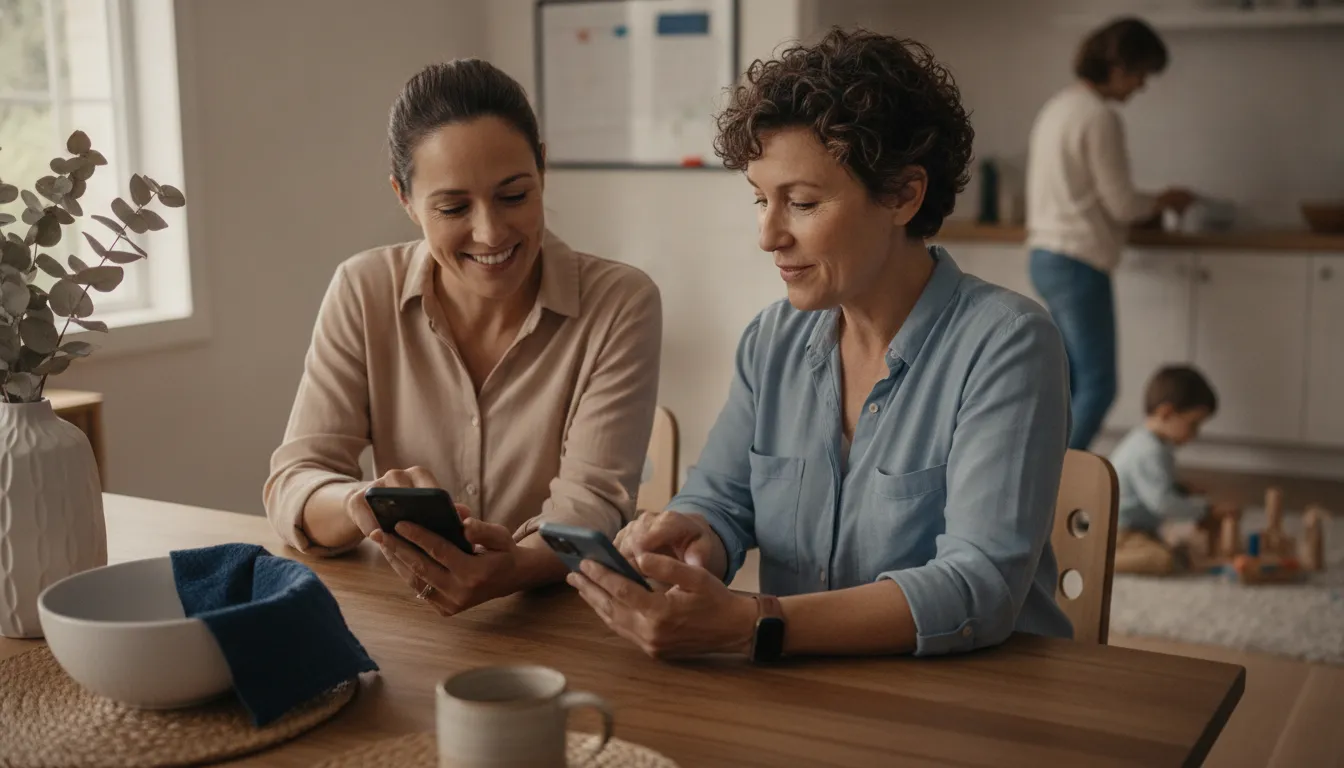
Family plans, school pickups, caregiving, and team activities rarely fit neatly into one text thread. Important details get buried, new people are added without clear permissions, and a quick check-in can become a chain of follow-up calls. Choosing the right communication tool means looking beyond whether messages are private.
Reserve your founding member spot
The best secure messaging app combines end-to-end encryption with clear access controls, trusted group spaces, dependable calling and media sharing, and practical tools for check-ins, alerts, and coordination. It should protect conversation content. It should also remain simple enough for every family member or team participant to use consistently.
That broader standard matters because security is not useful if people avoid the app, cannot tell who has access, or lose context when an everyday conversation becomes time-sensitive. Start by examining what security actually covers, how trust is established, and what privacy the service provides beyond message content.
What Makes a Secure Messaging App Actually Secure?
Security begins with a clear explanation of what the service protects and what it does not. End-to-end encryption is an important baseline because it is designed to keep message content readable only to the people in the conversation. But a careful review should also ask how trust is established, what information remains visible as metadata, and whether the provider explains its data practices in plain language.
End-to-end encryption protects content
CISA recommends using a properly vetted secure messaging app with end-to-end encryption and Voice over Internet Protocol for text messages and voice calls. It also warns that ordinary text messages and voice calls are vulnerable to interception by threat actors. That distinction matters for family logistics and team operations alike. A pickup change, care detail, event update, or request for help may contain information that should reach a defined group, not an undefined audience.
Look for language that says exactly where encryption applies. Does it cover one-to-one messages, group messages, calls, and shared media? Is it enabled by default, or must each user remember to turn it on? A general security label is less useful than a specific description of the protected communication path.
| Question | Why it matters |
|---|---|
| What is encrypted? | Confirms whether protection covers messages, groups, calls, and shared media. |
| Who can join? | Shows whether the trusted circle and its access rules are clear. |
| What information is retained? | Helps you understand metadata, account details, and privacy boundaries. |
| Will people use it? | Tests usability, device access, and long-term adoption. |
Encryption is not the same as anonymity
End-to-end encryption protects message confidentiality, but it does not necessarily guarantee user anonymity. Cornell researchers note that other metadata can remain exposed, including information connected to communication patterns or sender identity. A privacy review should therefore go beyond message content. Ask what account details are required, what activity information is retained, how notifications work, and how information is handled when a device is replaced.
This is also why claims such as completely untraceable should make you pause. A responsible service should describe its limits rather than promise an absolute outcome. Read the provider's encryption and privacy controls before asking your family or team to rely on it.
Security has to work in real life
Research on secure messaging evaluates security alongside usability and ease of adoption. Trust establishment and conversation security are central challenges, while larger group conversations can introduce additional complexity. Transport privacy can also involve performance tradeoffs. Those details have a practical implication: the strongest design is not a good fit if people cannot understand it. A tool also fails if people cannot access it or quietly return to scattered text threads.
How Should You Evaluate Privacy and Access Controls?
Privacy is not just a setting hidden inside an account menu. It is the set of choices that tells people who can participate, what they can see, and how their information moves through a conversation. Families and trusted teams should evaluate those choices before they move important coordination into a new app.
Start with the trusted circle
Define the group before you compare features. A household may need one private thread for caregivers, another for parents and children, and a broader space for an activity. A school or event team may need separate communication for organizers, participants, and families. The useful question is not whether an app can create a large group. It is whether people can understand why they are included and what access they receive.
Permission-based visibility is especially important when location context is involved. People should know who can see that information and when it is useful. SafeZone365 states that it does not use passive tracking and frames visibility as permission-based. That approach supports coordination without treating constant observation as the default.
Review identity and account recovery
Ask how a new person joins, how an existing person is removed, and how users recognize a changed device or contact. Review account recovery as carefully as sign-up. A secure conversation can become less secure if a lost phone, reused number, or unreviewed device keeps access longer than intended.
Security research also points to a tension between strong trust-establishment methods and ease of adoption. Test the process with the least technical person in the circle. If verification steps are unclear, people may avoid them or make unsafe workarounds. A good product makes the safer path understandable.
Read the privacy policy for decisions, not slogans
Look for direct answers about account information, message content, metadata, backups, notifications, and connected devices. A provider does not need to promise that every risk disappears. It should explain the boundaries that users can actually manage. For a family, that can mean clear private threads and consent around location awareness. For a team, it can mean defined participant roles and communication spaces tied to a specific event or operation.
Which Communication Features Matter Beyond Text?
Private text is foundational, but it is only one part of how families and teams communicate. A useful platform should support the moments that cause people to switch tools: a quick voice call. A photo from a pickup point, a group update, or a short video that provides context more clearly than a sentence.
Choose communication people will actually use
Test one-to-one messages and group conversations with the real people who will participate. Then try the actions that matter to your routine. Can someone start a call without searching through another app? Can a participant share a photo or video in the same private space? Are replies, notifications, and group membership easy to understand?
SafeZone365 documents one-to-one and group voice calling, along with photo and video sharing with automatic compression. Those features connect naturally to family logistics and team work. A caregiver can share an update, a coordinator can clarify a meeting point, and a participant can call when a message is not enough. Review the full set of secure messaging and safety features against your actual workflow.
Consider calls, media, and context together
Feature checklists often treat calling and media sharing as optional extras. In practice, they can affect adoption. People do not want to maintain separate channels for a private conversation, a group call, and a time-sensitive image. Keeping those actions close together can reduce confusion, provided the platform makes permissions and recipients visible.
Media also deserves a privacy review. Ask who can access a shared item, whether it stays in the conversation, and what happens when a participant leaves. Automatic compression may improve delivery and storage efficiency, but it should not replace clear explanations of access and retention.
Do not overlook device compatibility
A platform can be technically strong and still fail if half the group cannot use it. Check phones, tablets, desktop access, and browser support before you commit. Mixed-device households and teams need a common experience that does not force one group onto a separate channel. Adoption is part of practical security because a tool that nobody opens cannot support a private conversation or an agreed response.
Can One App Support Family and Team Coordination?
Families and organizations often need the same basic capability: communicate with the right people in the right context. The details differ. A parent may coordinate a school pickup, while an activity leader may manage attendance at practice. A mobile service company may need updates connected to a work operation. In each case, a general-purpose group chat can become difficult to follow when people, locations, and timing change.
Build around trusted groups
Family coordination works best when the people involved can see which conversation applies to which responsibility. A multigenerational household may include parents, grandparents, caregivers, and an older adult. A private group can support a care update without exposing every detail to every contact. A teen can have room for growing independence while the family agrees on the situations that warrant an update.
Schools, sports programs, and event teams need similar clarity. Organizers may need a participant list, invitations, status updates, and a channel for one particular activity. These functions help keep a routine message tied to the event it describes.
Use event context instead of scattered threads
SafeZone365's Event Pulse is documented as an event-specific communication space with participant management, invitations, status updates, and check-ins for trips, pickups, practices, and operations. That model makes the event the organizing unit. People can communicate about the activity without mixing it with unrelated household or team conversations.
Cross-platform access matters here. SafeZone365 works across iOS, Android, and the web, which supports mixed-device families and teams. Before selecting any app, confirm that the people who need to participate can use the same core functions on the devices they already own. Explore family safety coordination and secure communication for organizations and teams as examples of how the needs differ by group.
Keep routine coordination connected to readiness
The most useful platform does not force a choice between everyday planning and emergency preparation. It can help people confirm a handoff, communicate a delay, and follow an agreed response process. SafeZone365 positions this combined need as the space between everything being fine and calling 911. It supports preparation without using fear or constant observation as the organizing principle.
How Do Check-Ins and Alerts Fit Into Everyday Readiness?
Check-ins and alerts are most useful when people know what they mean before something becomes time-sensitive. A check-in can be routine. An alert can communicate a change in circumstances. Neither should be treated as a substitute for judgment, direct communication, or emergency services.
Make check-ins simple and specific
SafeZone365 documents Check-In as a one-tap safety confirmation that can reduce unnecessary follow-up calls while providing reassurance. That is a practical use for a teen arriving at an activity, a caregiver completing a handoff, or a field worker reaching a destination. Agree on when a check-in is expected and what happens if it does not arrive. Avoid creating so many check-ins that people treat them as background noise.
Give alerts enough context
A message that says only help or running late leaves the recipient guessing. SafeZone365 documents real-time alerts that can carry location, time, and situation details. The point is not to collect information for its own sake. It is to give a trusted person enough context to respond appropriately.
Notification channels should also match the situation. The documented system includes push, in-app, and optional SMS notifications. Ask which channel is appropriate for each scenario and how recipients can confirm that they received it. A process is stronger when the group understands who should respond and what information is relevant.
Agree on escalation before you need it
SafeZone365 documents configurable escalation workflows for different alert scenarios. Families and teams should still decide their own responsibilities. Who checks on a missed arrival? Who contacts a caregiver? When should a team leader call directly? When is it appropriate to contact emergency services? An app can carry information and support a workflow, but it cannot replace human decisions or guarantee an outcome.
These routines make preparedness part of ordinary coordination. They create a calm path for situations that sit between a normal update and a 911-level emergency.
A Practical Secure Messaging App Checklist
Choosing a secure messaging app is easier when you test it against the way your people actually communicate. It should balance security, usability, and ease of adoption, the three dimensions identified in secure messaging research. Use this checklist before you ask a family, school group, or trusted team to move its conversations into a new platform.
- Define the trusted circle. Write down who needs access, what each person needs to see, and which conversations should stay private. A family may need separate threads for caregivers and children. A team may need an event-specific channel. Look for permission-based visibility so people can control who sees location and when, rather than assuming everyone needs constant access.
- Inspect the encryption model. Confirm that the service protects message content with end-to-end encryption, then read how it protects stored and transmitted data. SafeZone365 documents end-to-end encrypted messaging for family, group, and event participants, AES-256 for data at rest, TLS 1.3 in transit, and device-first key generation and storage. Read the provider's security explanation.
- Review trust and account recovery. Ask how users establish trust, manage devices, recover accounts, and recognize a changed contact. Research identifies trust establishment and conversation security as core challenges. Stronger verification can also be harder for ordinary users to adopt, so test the process with the least technical person in your circle.
- Test everyday communication. Send a private message, start a group conversation, place a voice call, and share a photo or video. SafeZone365 supports one-to-one and group voice calling plus photo and video sharing with automatic compression. Check whether the experience is clear enough for routine use, because regular adoption is part of practical security.
- Plan coordination, not just chat. Confirm that the platform can support a real event, pickup, practice, trip, or work operation. Event Pulse provides event-specific communication channels, participant management, invitations, status updates, and check-ins. This keeps logistics connected to the people and context involved.
- Set readiness habits. Decide when people should use a one-tap Check-In, what information an alert should carry, and who should respond. SafeZone365 documents Check-In, real-time context such as location, time, and situation details, push and in-app notifications, optional SMS, and configurable escalation workflows. Treat these as agreed routines, not promises of guaranteed safety.
- Confirm cross-platform usability. Test the app on the devices your circle already owns. SafeZone365 works across iOS, Android, and the web, which supports mixed-device families and teams. Finally, consider transport privacy and performance. Choose the balance your group can sustain.
A good final test is simple: can your circle communicate privately, coordinate ordinary plans, and respond to a meaningful alert without confusion? If the answer is yes, the app is serving security as a daily practice, not merely as a feature label.
Why Privacy-First Coordination Is the Better Long-Term Fit
A messaging choice becomes more valuable when it still fits your needs after the first conversation. Families and trusted teams do not only exchange text. They arrange pickups, share updates, confirm arrivals, coordinate care, and prepare for situations that require more context. That is why privacy-first coordination can be a stronger long-term fit than choosing a chat tool in isolation.
SafeZone365 provides end-to-end encrypted messaging for family, group, and event participants. Its permission-based visibility model lets users control who sees location and when, and the platform states that it does not use passive tracking. Those boundaries support a more respectful approach to safety. People can stay connected without treating constant observation as the default.
The broader value is the connection between communication and action. Event Pulse provides event-specific channels, participant management, invitations, status updates, and check-ins for trips, pickups, practices, and operations. One-to-one and group voice calling, along with photo and video sharing, help a trusted circle use the same environment for ordinary coordination. These capabilities matter because a platform earns adoption through useful daily moments, not only through emergency language.
Read how permission-based coordination works to see how visibility and communication fit together. You can also review the secure messaging and safety features that extend the conversation into check-ins, alerts, and preparedness. SafeZone365 documents real-time alerts that can include location, time, and situation details, plus push, in-app, and optional SMS notifications and configurable escalation workflows.
This is the practical space between everything being fine and calling 911. SafeZone365 is positioned as The Operating System for Personal Safety, combining Safety, Communication, Coordination, Connection, and Preparedness. It is not necessary to claim that one platform is universally best. Instead, compare each option against your trusted circle, privacy expectations, device mix, and readiness habits. A privacy-first safety and coordination platform is a good fit when it helps people communicate clearly. Share information by permission, and build repeatable routines for everyday life and unexpected moments.
See pricing and reserve your founding member spot
Frequently Asked Questions
Which messaging app is most secure?
There is no single answer for every family or team. CISA recommends using a properly vetted secure messaging app with end-to-end encryption and Voice over Internet Protocol for text messages and calls. A useful evaluation should also consider security, usability, and ease of adoption. Compare the provider's encryption, trust process, privacy practices, group support, and device compatibility with your actual needs.
Does end-to-end encryption make messages anonymous?
No. End-to-end encryption protects the confidentiality of message content, but it does not necessarily guarantee user anonymity. Cornell researchers note that other metadata can remain exposed, including information connected to communication patterns or sender identity. Read the privacy policy and security documentation, and ask what account and activity information the service retains.
What should families check before choosing a private chat app?
Start with the trusted circle. Check who can join, what permissions people receive, how private threads work, and whether location sharing is controlled by the user. Then test routine communication, including group conversations, calls, media sharing, and notifications. The safest design in theory is not useful if family members find it confusing or stop using it.
Is a secure messaging app useful for teams as well as families?
Yes, if it supports the team's real workflow. A school, youth program, event group, or mobile service team may need event-specific channels, participant management, invitations, status updates, and check-ins in addition to chat. SafeZone365 documents these Event Pulse capabilities and combines everyday coordination with emergency readiness. Review access rules and escalation responsibilities before adopting any platform.
Can a private messaging app be completely untraceable?
Do not assume that any app is completely untraceable. End-to-end encryption protects message content, while metadata and account details may still exist. Ask precise questions about identity, retention, notifications, and transport privacy. A more useful goal is a well-documented service that limits access, explains its data practices, and gives your trusted circle practical control.
Choose a Privacy-First Path Forward
The right secure messaging app should help your people do more than exchange protected text. It should support trusted circles, permission-based visibility, everyday coordination, and practical readiness without turning safety into surveillance. Review your circle's needs, test the communication experience, and confirm that the platform works across the devices your family or team already uses.
SafeZone365 brings those priorities together as a privacy-first personal safety and coordination platform. It supports end-to-end encrypted messaging for family, group, and event participants, with tools for communication, coordination, connection, and preparedness. The pre-launch founding-member model lets interested users reserve a place before activating a subscription.